
$700 vs $1,495. Both camera-based. Both recommended on every budget thread. The price gap is $795 — real money by any standard.
So what does roughly two times the cost actually get you? That’s the question. Let’s answer it honestly.
The 30-Second Answer
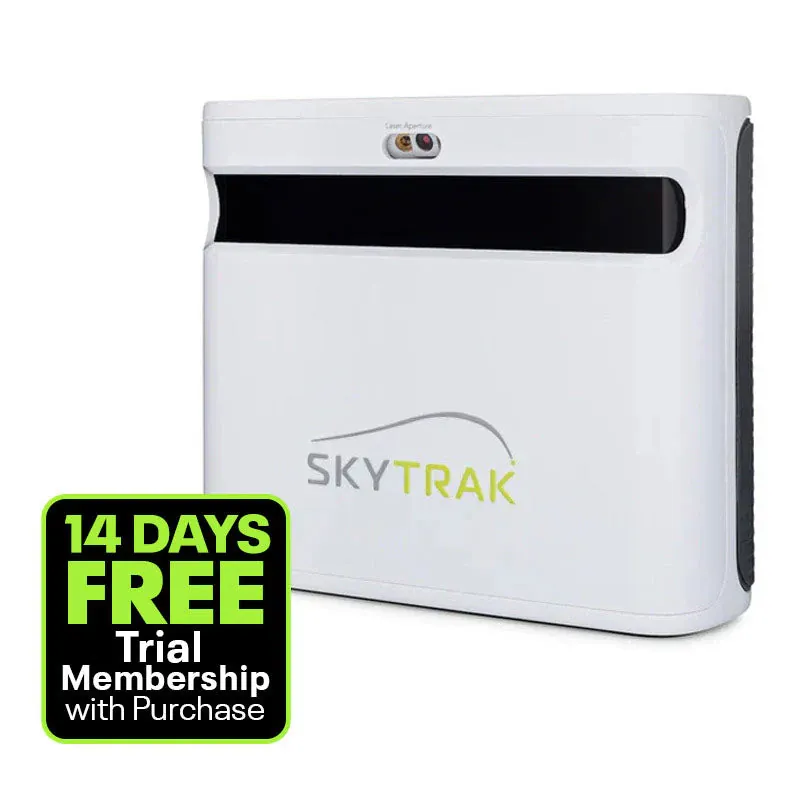
SkyTrak+ ($1,495) is a purpose-built, standalone simulator launch monitor. Photometric camera, improved spin accuracy over the original SkyTrak, built-in Wi-Fi, and a mature software ecosystem (WGT, E6 Connect, GSPro via community connector, TGC 2019). It’s the entry point to “serious” home sim life. No phone required.
Rapsodo MLM2Pro ($700) is a camera-based launch monitor that uses your iPhone as the brain. Portable, great for range sessions, decent indoor accuracy. It has simulator software (iOS), but it’s phone-first and limited compared to what SkyTrak+ connects to.
Winner: SkyTrak+ for a dedicated home simulator. Rapsodo MLM2Pro for budget/portable use. The premium is worth it if you’re building a real sim. If you’re just testing the waters, the MLM2Pro is the cheaper on-ramp.
What You’re Paying For: The Core Differences
1. Accuracy
This is the big one. And it’s where the price gap shows.
SkyTrak+ accuracy: Photometric camera measuring ball data at impact. The “+” upgrade improved spin measurement significantly over the original SkyTrak — the original had known spin-accuracy issues, especially with wedges. SkyTrak+ uses an enhanced algorithm and improved camera to get spin numbers that are within 3-5% of tour-level units like the GC3. Not perfect, but genuinely good. Ball speed and launch angle are excellent.
Rapsodo MLM2Pro accuracy: Also camera-based (dual cameras plus your iPhone’s camera). Ball speed and launch are solid — within 3-4% of premium units. Spin is calculated, not directly measured, which means it’s an algorithmic estimate. It’s decent, but it’s not in SkyTrak+’s league for consistency. You’ll see more shot-to-shot variance, especially on mis-hits and partial shots.
The gap: SkyTrak+ is noticeably more consistent. If you’re using data to actually improve your game (handicap tracking, gapping sessions, club fitting), SkyTrak+ gives you numbers you can trust. MLM2Pro gives you numbers that are “in the ballpark” — fine for casual practice, not for serious data work.
2. Software Ecosystem
This is where the gap gets even wider.
SkyTrak+ connects to:
- WGT Golf (included, browser-based course play)
- E6 Connect (subscription, 100+ courses, multiplayer, tournaments)
- GSPro ($250/yr via community connector, 150+ courses, incredible graphics)
- TGC 2019 (subscription, 150,000+ user-designed courses)
- ProTee Connect (integration with various sim software)
- Creative Golf 3D
SkyTrak+ is the connectivity king of mid-tier launch monitors. If there’s a simulator software platform you want to use, SkyTrak+ probably connects to it. This matters because the software is what makes a simulator feel like a simulator, not a radar gun.
Rapsodo MLM2Pro connects to:
- Rapsodo app (free + $99/yr Premium)
- Built-in iOS simulator courses (Premium required)
- That’s it. No GSPro. No E6. No TGC.
The MLM2Pro’s simulator experience is phone-based. You play courses on your iPhone or cast to a TV via AirPlay. It’s fun, the graphics are decent, but it’s not the same as hitting into a 10-foot screen with GSPro rendering Pebble Beach in front of you.
If you’re building a sim with a screen and projector: SkyTrak+ is the only real choice here. The MLM2Pro can’t connect to the software that makes a screen-based sim work.
3. Hardware & Build
SkyTrak+: 7.7 lbs, metal housing, built-in battery (5-10 hours), Wi-Fi and USB connections, hitting zone is 7 inches wide. It’s a piece of equipment — feels like a real device, not a gadget. You set it on a stand or shelf behind your hitting mat and leave it there.
Rapsodo MLM2Pro: 0.8 lbs, plastic, runs on your phone’s battery, Bluetooth to phone. It’s a portable gadget — throw it in your bag, set it on the ground at the range. Purpose-built for portability.
These are different products with different design philosophies. SkyTrak+ is built to live in your sim space. MLM2Pro is built to travel.
4. Putting
SkyTrak+: Tracks putts (with compatible software). Not amazing putting data, but it works for sim rounds.
Rapsodo MLM2Pro: Also tracks putts natively. Actually one of the MLM2Pro’s strengths — the camera system captures putting stroke data well.
Both can putt. Neither is great at it. If putting is your priority, look at the Bushnell Launch Pro or Foresight GC3.
5. Indoor vs Outdoor
SkyTrak+: Indoor only. Photometric camera needs controlled lighting and a hitting mat with markings. Doesn’t work well outdoors — too much light variance, no mat markings.
Rapsodo MLM2Pro: Works indoors and outdoors. The dual-camera system plus your iPhone camera adapts to outdoor conditions. This is the MLM2Pro’s superpower — it’s a genuine range tool, not just a sim tool.
If you want a launch monitor for the range: MLM2Pro. SkyTrak+ doesn’t do outdoor range sessions.
Total Cost of Ownership Over 3 Years
| SkyTrak+ | Rapsodo MLM2Pro | |
|---|---|---|
| Launch monitor | $2,495 | $700 |
| Simulator software | GSPro $250 one-time | Premium $99/yr × 3 = $297 |
| Phone required? | No | Yes (iPhone) |
| 3-year total | $2,745 | $997 |
| Difference | — | $1,748 cheaper |
The MLM2Pro is $1,748 cheaper over three years. That’s real money. The question is whether the SkyTrak+’s advantages (accuracy, software ecosystem, standalone hardware) are worth $1,748 to you.
Who Should Buy What
Buy the SkyTrak+ if:
- You’re building a real home simulator (screen, projector, enclosure)
- You want to play GSPro, E6, or TGC courses
- You care about data accuracy for game improvement
- You don’t want your phone to be part of the setup
- You’ve decided you’re all-in on sim golf
Buy the Rapsodo MLM2Pro if:
- You’re testing the waters before committing $2,500+
- Your primary use case is the driving range
- You have an iPhone and want a simple setup
- You’re on a strict budget and $700 is your ceiling
- You want something portable, not a permanent install
The Honest Take
Here’s the thing nobody on the forums says clearly enough: the MLM2Pro is an on-ramp, not a destination.
Guys who buy the MLM2Pro for $700 and love it almost always upgrade to a SkyTrak+, Bushnell Launch Pro, or better within 12-18 months. The MLM2Pro proves the concept (“yes, I’ll actually use a launch monitor”) and then the limitations (software, accuracy, phone-dependency) push them to upgrade.
The SkyTrak+ is the unit that ends the upgrade cycle for most people. It’s accurate enough, the software ecosystem is deep enough, and the hardware is reliable enough that you stop thinking about launch monitors and start thinking about your handicap.
So the real question isn’t “$700 vs $2,495.” It’s “are you buying a tool or building a simulator?”
If you’re buying a tool: MLM2Pro. Cheap, portable, gets the job done.
If you’re building a simulator: SkyTrak+. The software ecosystem alone justifies the premium. GSPro on a 10-foot screen with a SkyTrak+ feeding it data is the sweet-spot simulator experience that 80% of home golfers land on.
Buy the right tool for the job. Don’t buy a wrench when you need a hammer.
Dig deeper: SkyTrak+ Review | Rapsodo MLM2Pro Review | SkyTrak+ vs Bushnell Launch Pro | Best Golf Simulator Under $3,000
Also check out the subscription trap blog for the full story on software costs — and the best launch monitors 2026 roundup to see where both rank against the full market.
Need the full picture on costs? 5-Year Total Cost of Ownership → with software subscriptions, mats that wear out, and the hidden expenses nobody talks about.