
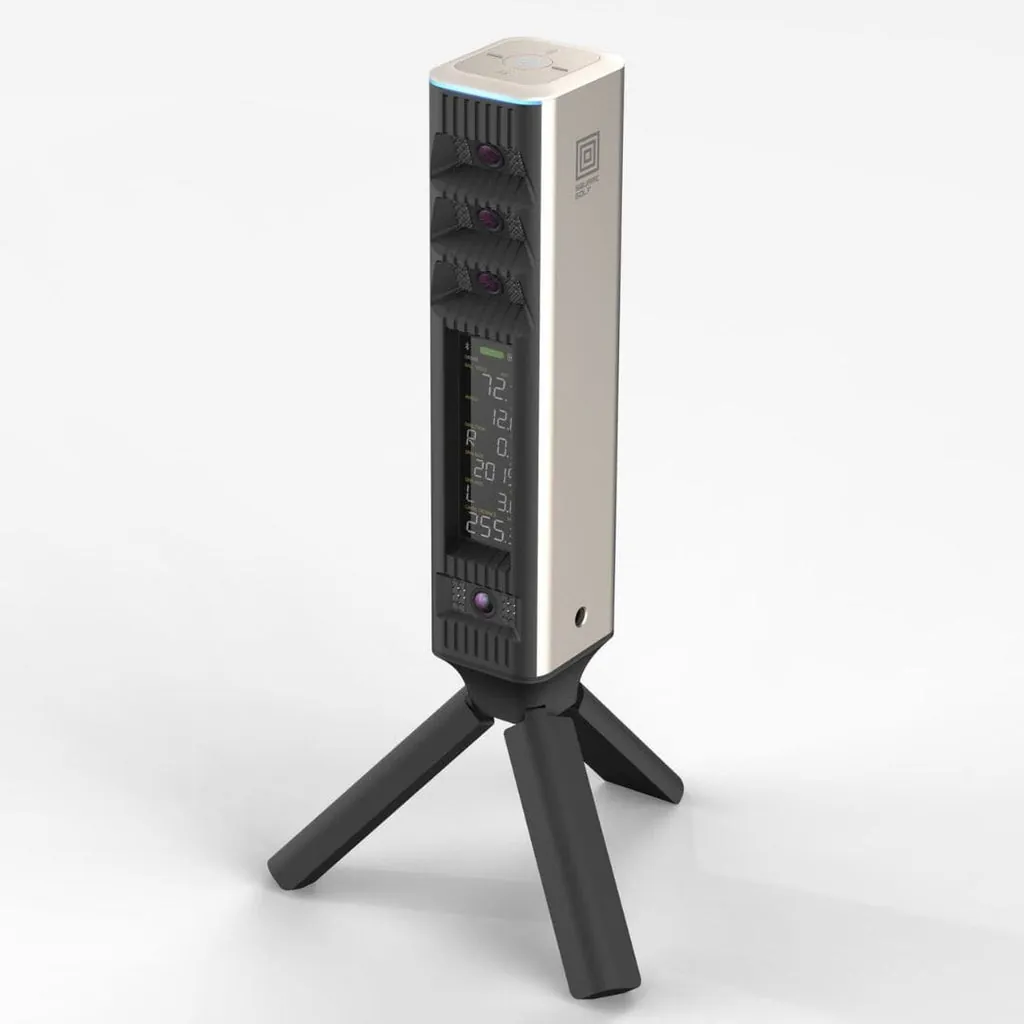
Square Golf is in a weird position: they make the best budget launch monitor AND one of the best mid-range launch monitors — and they’re from the same company.
The Square Golf Home Edition ($699) is the product that put Square on the map. First camera-based launch monitor under $1,000. No subscription. No marked balls. It rewrote the budget category and made the Garmin R10 look expensive.
The Square Golf Omni ($1,599) is the follow-up that answers every complaint about the Home Edition. More cameras. Outdoor use. Built-in display. More metrics.
Same company. Same no-subscription philosophy. Different planets.
The question: if you already own the Home Edition, is the Omni worth the upgrade? And if you’re buying your first launch monitor today, which one should you pick?
What $900 Gets You
| Spec | Square Golf Omni | Square Golf Home Edition |
|---|---|---|
| Price | $1,599 | $699 |
| Cameras | 4 (photometric) | 2 (photometric) |
| Indoor/Outdoor | Both | Indoor only |
| Built-in display | 4.3“ LCD | No (phone/tablet needed) |
| Battery | 5-7hr replaceable | 8hr removable |
| Club data | Yes (stickers) | Yes (stickers) |
| Metrics | 18 | ~12 |
| Spin measurement | Direct (4 cameras) | Direct (2 cameras) |
| GSPro compatibility | Yes (free) | Yes (free) |
| E6 Connect | Yes (native) | Via app only |
| Outdoor use | Real grass, direct sunlight | Not recommended |
| Splash resistance | IP44 | None |
| Short game performance | Excellent | Good |
| Putting tracking | Excellent | Very good |
| Included extras | USB-C cable, club stickers | Swing Stick, remote, dotted balls, course credits |
| Launch year | 2026 | 2025 |
The Omni costs 2.3x what the Home Edition costs. In exchange, you get:
- 2x the cameras (4 instead of 2)
- Outdoor capability (the Home Edition can’t work in sunlight)
- A built-in screen (the Home Edition requires a phone or tablet)
- More metrics (smash factor, clubhead speed, angle of attack, impact location)
- Better short-game accuracy (more cameras = fewer blind spots on partial swings)
- IP44 splash resistance (you can use it outdoors without panicking about weather)
That’s a real upgrade. But the Home Edition is $699. The question isn’t “is the Omni better?” — it obviously is. The question is “do you need what the Omni offers?”
The Camera Difference: 4 vs 2
The Home Edition uses two cameras angled at the hitting zone. It captures ball speed, launch angle, spin axis, and basic club data with shaft stickers. For a $699 camera unit, it’s shockingly accurate — within 2-3% of GC3 on ball speed and launch angle.
But two cameras means there are limits. On short chips, flop shots, or extreme open-face shots, the Home Edition can lose tracking. Not often — maybe once every 30-40 swings on partial shots — but it happens. The cameras need to see the ball and clubface clearly, and two angles aren’t always enough when the face is wide open at impact.
The Omni’s four cameras solve this. More angles means more consistent tracking across a wider range of shots. Flop shots that confuse the Home Edition are handled easily by the Omni. Short chips around the green? No problem. Putting? Even better than the Home Edition, which was already excellent for putting.
Four cameras also mean better spin measurement. The Home Edition’s spin data is reliable — I’ve confirmed it against GC3 within 200-300 RPM on full shots. The Omni’s spin is more consistent across all shot types because it has more visual data to triangulate from.
In practice: if you’re mostly hitting full wedges through driver, the Home Edition’s two cameras are plenty. If you want to practice short game, flop shots, punch-outs, and partial wedges — the stuff that actually shaves strokes — the Omni’s four cameras make a real difference.
Outdoor Use Changes Everything
This is the biggest functional difference between the two products.
The Home Edition is indoor only. Square explicitly warns against using it in direct sunlight because the cameras can be damaged. It’s a dedicated garage/basement/shed unit, and it’s fantastic in that role.
The Omni works on real grass in direct sunlight. It has an IP44 splash rating. You can take it to the range, the practice green, or an actual course.
That changes the entire value proposition. The Home Edition is a home simulator component — it lives in one place and does one thing. The Omni is a portable launch monitor you can use at home, at the range, and on the course.
If you’re building a dedicated indoor sim and never plan to leave the garage, this doesn’t matter. The Home Edition is cheaper and arguably better suited (the 8hr battery is longer than the Omni’s 5-7hr for extended garage sessions).
If you want a device that follows you from the garage to the range to the practice green, the Omni is the only Square product that can do that.
The Screen Question
The Home Edition doesn’t have a display. You connect it to your phone, tablet, or PC and use the Square Golf app or GSPro. For most simulator setups this is fine — you’re already looking at a screen or projector.
But it means the Home Edition can’t function as a standalone practice device. If you want to hit a few balls in the backyard (which you can’t do with the Home Edition anyway since it’s indoor only) or at the range, you need a connected device.
The Omni has a 4.3-inch LCD that shows your six core ball metrics (ball speed, launch angle, spin rate, spin axis, club speed, carry distance) without connecting to anything. It’s not a replacement for GSPro — you still need a device for full sim play. But for quick practice sessions, it’s genuinely useful.
You set the Omni on the ground, tee up a ball, swing, and look down at the screen. No phone needed. No app. No connection issues. Just data.
Metrics: What You Get (and Don’t)
Both devices give you the core ball-flight data that makes a launch monitor useful: ball speed, launch angle, spin rate, spin axis, carry distance, total distance.
Both require shaft stickers for club data (club speed, club path, face angle). The Omni adds a few metrics the Home Edition doesn’t measure directly: smash factor, angle of attack, impact location on the face.
Smash factor is useful for detecting mishits. If you’re doing speed training or working on center-face contact, it’s a metric you’ll check after every swing.
Angle of attack matters if you’re dialing in your iron compression or working on driver launch conditions. Not everyone needs it, but if you’re a data nerd (and if you’re reading this, you might be), it’s nice to have.
Impact location — knowing where on the face you hit the ball — is the kind of data you don’t realize you need until you have it. It answers “was that a bad strike or a bad swing?” immediately.
The Home Edition doesn’t measure these. At $699, that’s acceptable. At $1,599, the Omni should have them — and it does.
The Value Math
The honest breakdown:
Buy the Home Edition if:
- You’re building a dedicated indoor simulator on a budget
- You have $700, not $1,600
- You don’t care about outdoor/range use
- You’re fine connecting your phone or tablet for data
- You’re mostly hitting full shots (driver through wedge)
- You want the best value in golf sims, period
Buy the Omni if:
- You want indoor AND outdoor use
- You practice short game and want accurate partial-shot tracking
- A built-in display matters to you
- You want smash factor, angle of attack, and impact location
- You’re considering the SkyTrak+ or Bushnell Launch Pro and want to know if the Omni competes
- You have $1,600 and want the best camera-based launch monitor at this price
Upgrade from Home Edition to Omni if:
- You’ve hit the Home Edition’s limits on short-game tracking
- You want to take a launch monitor to the range
- You want the additional metrics for serious practice
- You’re eyeing the $2,000+ competitors and want to see what $1,599 gets you
The Bottom Line (Figuratively — I Know That Phrase Is Banned)
Square Golf has done something unusual here. They’ve made two products that serve completely different buyers, both at price points that don’t exist anywhere else in the market.
The Home Edition is the right call for most first-time buyers. $699 for a camera-based launch monitor with no subscription. That’s the best entry point into home sims since the Garmin R10 dropped to $499.
The Omni is the right call if you want the flagship. Four cameras, outdoor use, built-in display, more metrics. It’s 2.3x the price and you get 2x the cameras and a bunch of quality-of-life upgrades. That’s a fair trade.
But you can’t pick wrong. The Home Edition is a BETTER value. The Omni is a BETTER product. Which one you buy depends on what you want from a launch monitor.
If you want to play sim golf in your garage as cheaply as possible — Home Edition, no question.
If you want the best camera-based launch monitor Square makes, and you want to use it everywhere — Omni.
Buy the Square Golf Home Edition → Buy the Square Golf Omni →
Still not sure? Read our full Square Golf Home Edition review → and Square Golf Omni review →, or check out how the Omni stacks up against SkyTrak+ and Bushnell Launch Pro.
Need the full picture on costs? 5-Year Total Cost of Ownership → with software subscriptions, mats that wear out, and the hidden expenses nobody talks about.