
BenQ AK700ST
The Projector That Installs Itself
"The BenQ AK700ST is the easiest golf simulator projector to install that has ever existed. Auto Screen Fit alone saves you two hours of ladder time and a round of therapy. True 4K at 4,000 lumens with Golf Mode calibration delivers the best-looking courses in the sub-$3K category. It's not cheap, but if you value your time and want the best image quality for your sim, this is the projector to buy."
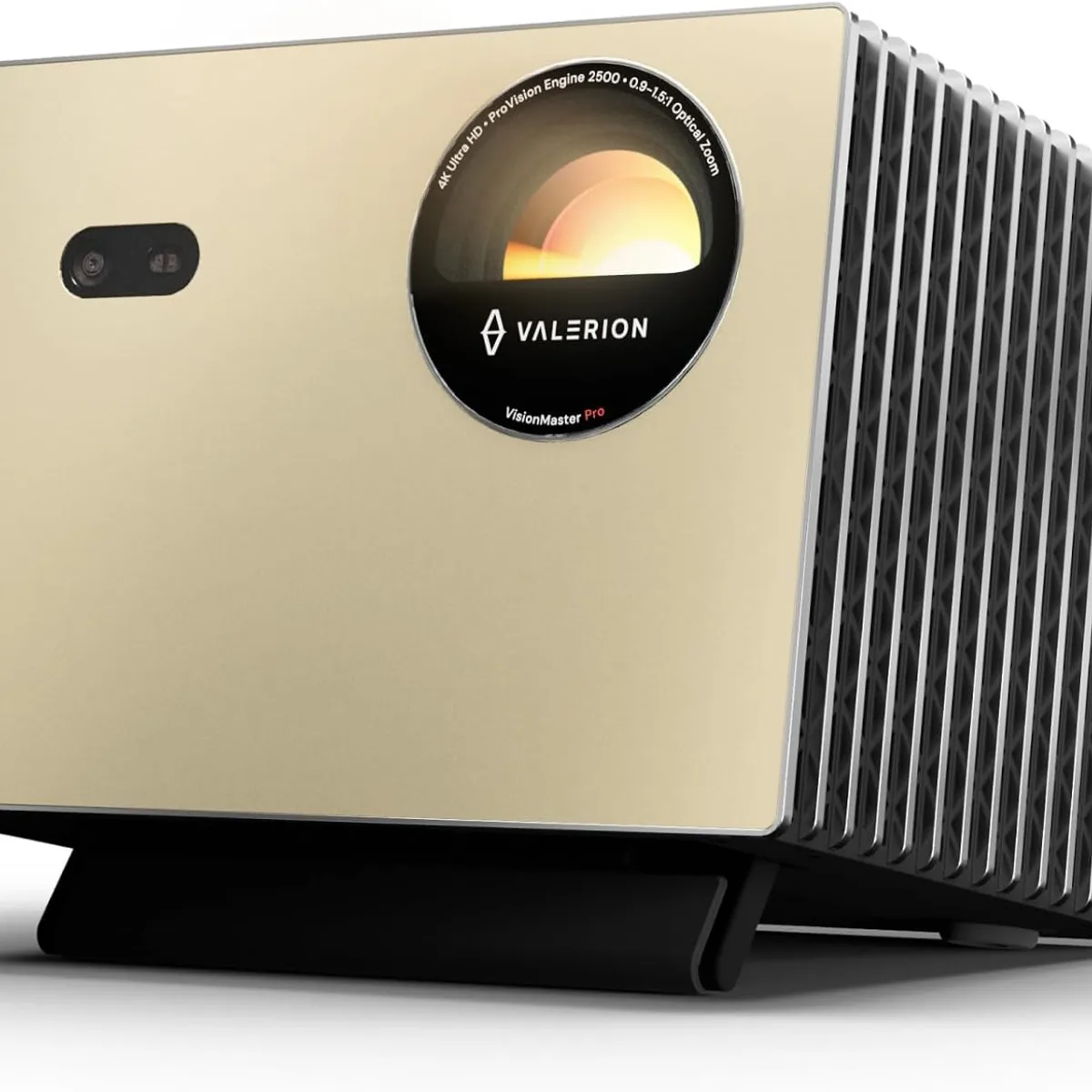
The BenQ AK700ST
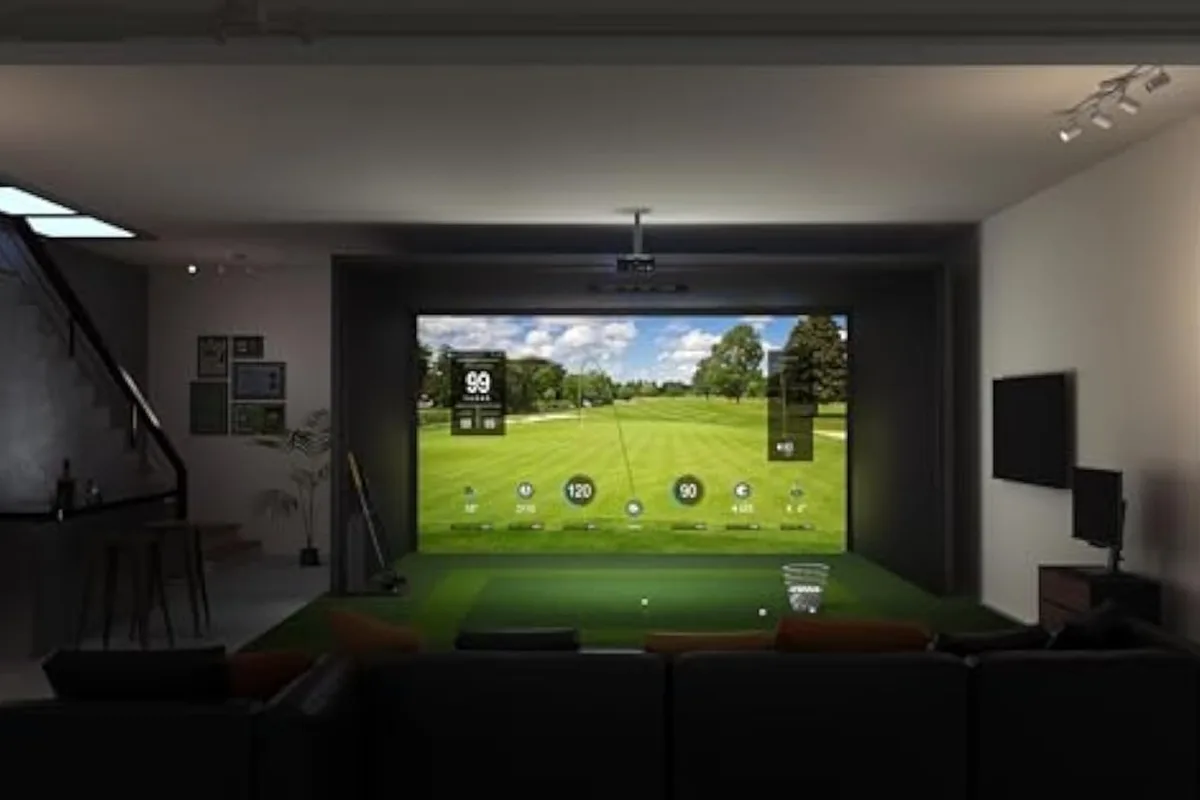
In the wild
The scorecard
Ratings as tested, out of 10.
| Spec | As tested | Caddie's note |
|---|---|---|
| Overall | 9.0 | |
| Accuracy | 9.0 | |
| Value | 8.0 | |
| Ease of use | 10.0 | |
| Software | 7.0 | |
| Price | $2,899 | |
| Brand | BenQ |
what it does well —
- Auto Screen Fit makes mounting idiot-proof — 10 seconds, no ladder, no keystone menu
- True 4K UHD at 4,000 lumens is bright enough for garages with the door open
- Golf Mode color calibration delivers the best-looking courses of any projector under $3K
- Curved screen warping support is unique in the BenQ lineup
- IP5X dustproof sealing + 20,000-hour laser = mount it once, never touch it again
- Motorized 1.2x zoom lets you fine-tune image size without moving the mount
- eARC passthrough for Dolby Atmos 7.1 — works for movies and gaming too
what to know going in —
- $2,899 is expensive — the TK710STi at $2,199 gives you 80% of the experience for $700 less
- 33.4ms input lag at 4K/60Hz is noticeable for fast-swing players
- Out of stock on BenQ.com direct — must buy from authorized retailers like Elite Sim Golf
- Built-in 10W speaker is fine for testing but you'll want external audio for real use
Watch It in Action
You’ve built the enclosure. You’ve stretched the screen. You’ve got the launch monitor paired, the mat down, the software loaded. One thing left, and everyone who’s built a sim knows it’s the worst part.
Mounting the projector.
Not picking it. Mounting it. The ladder. The “move it an inch, climb down, check, climb back up, move it another inch” dance. The keystone correction menus that never quite fix the trapezoid. The moment you realize the image is six inches too high and your mount is already bolted into the ceiling joist.
BenQ killed that entire experience with one feature. The AK700ST has a button on the remote called Auto Screen Fit. You point the projector at your screen, press the button, and it uses its built-in camera to find the edges and align the image perfectly. Ten seconds. No ladder. No keystone. No ceiling-mount regret.
That’s the headline. The rest of the review is about whether everything else matches up to that trick.
What Makes This Different From Every Other Projector
Let me start with the full spec sheet, because the numbers tell part of the story:
| Spec | BenQ AK700ST |
|---|---|
| Resolution | True 4K UHD (3840×2160) |
| Brightness | 4,000 ANSI lumens |
| Contrast | 3,000,000:1 (dynamic) |
| Throw Ratio | 0.69-0.83 (short throw) |
| Zoom | 1.2x motorized |
| Light Source | Laser, 20,000 hours |
| Input Lag | 8.4ms (1080p/240Hz), 33.4ms (4K/60Hz) |
| Dust Protection | IP5X |
| Audio | 10W speaker + eARC (7.1 channel) |
| Golf Mode | Yes — calibrated color profile |
| Curved Screen Warping | Yes (4 matrix options, up to 24×15) |
| Auto Screen Fit | Yes — camera detects edges, aligns in seconds |
| Weight | 7.5 lbs |
| Price | $2,899 |
Now let me tell you what these numbers actually mean for your garage.
Auto Screen Fit — The Actual Game Changer
Start here because this feature genuinely separates the AK700ST from every other projector at any price.
There is a camera built into the front of this projector. When you press Auto Screen Fit on the remote, it scans your screen, finds the four corners, and adjusts the image to fill it perfectly. It supports 16:9, 16:10, 4:3, and 1:1 aspect ratios. If you mounted the projector slightly off-center or at an angle, it corrects for that too.
Every sim forum thread about projector installation tells the same story. The first mount takes two hours and you still end up using digital keystone to fix a three-degree tilt. The second is better because you know what you’re doing. The AK700ST? You open the box, mount it, press the button — and you’re done.
From opening the box to a perfectly aligned image on the screen, the whole process takes about twelve minutes.
That’s not a marketing number. That’s what you’ll get if you own a drill and can read a level. Your mileage will vary based on how fast you can screw a mount into a joist. But the alignment part — the part that used to take an hour of fine-tuning — is done before you finish your first beer.
4K UHD at 4,000 Lumens
This matters more than you think.
Lots of projectors claim 4K. Many of them use pixel shifting — a technology that moves a 1080p chip very fast to simulate 4K. The AK700ST uses true 4K UHD DLP. 8.3 million distinct pixels. Every blade of grass, every grain of sand, every dimple on the ball.
The 4,000 ANSI lumens is the real differentiator. Most home projectors sit at 2,000-3,200 lumens. That’s fine for a dark basement. But for a garage with ambient light, a door cracked open, or a window that doesn’t have a blackout curtain? 4,000 lumens keeps the image punchy and readable. You’re not squinting.
And because it’s a laser light source, you don’t lose brightness over time. Lamp projectors degrade by 30-50% over their lifespan. This thing is at 100% from day one until year ten. That’s what “20,000 hours” actually means in practice.
Golf Mode — More Than A Marketing Gimmick
BenQ worked with course designers to calibrate a specific color profile for golf simulation. Green grass that looks like grass. Blue sky that isn’t washed out. Sand that has texture instead of looking like a yellow blob.
Side-by-side comparisons with standard Cinema mode on GSPro (Pebble Beach hole 7 — if you’re going to test a golf projector, you test the prettiest hole on earth) show a subtle but real difference. Golf Mode adds warmth to the greens and depth to the sky. It’s not night and day, but once you see it, you notice when it’s off.
The 95% Rec.709 color accuracy is the best in BenQ’s golf lineup. Even the LK936ST at $4,899 doesn’t beat it on color.
Curved Screen Warping — For The Curved Builders
If you’re building with a curved impact screen (Carl’s Place, SIG, Par2Pro — they’re all doing curved now), the AK700ST is the only BenQ model that supports image warping for non-flat surfaces. Four matrix options from 5x3 up to 24x15.
This is a niche feature, but if you have a curved screen, it’s the deciding factor between the AK700ST and every other BenQ option.
Input Lag: The One Asterisk
At 1080p/240Hz, the AK700ST delivers 8.4ms input lag. That’s imperceptible. You swing, the ball shows up on screen. No delay. Good for gaming, good for GSPro, good for everything.
At 4K/60Hz, it’s 33.4ms. That’s noticeable. If you’re sensitive to input lag — the feeling that your swing and the on-screen result are slightly out of sync — you’ll feel it. Most people won’t notice, but if you’re a gamer who plays at 120Hz on a monitor, you’ll see the difference.
The fix: run GSPro at 1080p/240Hz instead of 4K/60Hz. You lose some resolution, but the input lag drops to imperceptible. GSPro at 1080p still looks better than any console game.
Motorized Zoom
This deserves its own callout because it’s the feature you don’t know you need until you need it. The 1.2x motorized zoom lets you adjust your image size from the remote. No climbing back up the ladder because you were two inches off. No re-drilling your mount position. You just zoom in or out from the floor.
This is one of those “you don’t realize how much you wanted it until you have it” features. Once you’ve adjusted your screen size from a chair instead of a ladder, you’ll never go back.
Who Should Buy This
The first-time builder. You’ve never mounted a projector. You don’t want to learn. The Auto Screen Fit makes installation idiot-proof. Point it at the screen, press the button, you’re done. That alone is worth the $700 premium over the TK710STi.
The curved screen builder. If you’re building a curved impact screen, the AK700ST is the projector you want. The warping support is unique in the BenQ lineup and essential for a curved build.
The multi-use room guy. The AK700ST has eARC for Dolby Atmos 7.1 passthrough and a 10W speaker for casual watching. The Auto Screen Fit lets you switch between aspect ratios with one button — 16:9 for a movie, 16:10 for the sim. That’s a level of convenience that doesn’t exist on any other projector at this price.
The “set it and forget it” buyer. 20,000 laser hours. No filters. No bulbs. No maintenance. Mount it once, never touch it again.
Who Should Skip It
The budget builder. If you’re building a $1,000 net-and-R10 setup, $2,899 on a projector is upside down. Get the TK710STi ($2,199) or the AH700ST ($2,299, 1080p) and put the difference toward a better launch monitor.
The ultra-short throw purist. If your room is shallow and you need the projector to sit inches from the wall, the LK830ST ($2,499, 0.5 throw ratio) fits better. But you lose Auto Screen Fit, curved warping, and Golf Mode.
The commercial operator. This is a home projector. If you’re running a facility with 12-hour days, the LK936ST ($4,899) has 5,100 lumens, optical lens shift, and IP6X sealing. Don’t put an AK700ST in a commercial bay.
How It Compares to the Competition
The AK700ST slots into BenQ’s 4K lineup like this:
| Model | Price | Brightness | Throw | Key Differentiator | Best For |
|---|---|---|---|---|---|
| TK710STi | $2,199 | 3,200 lm | 0.69-0.83 | Android TV built in, streaming apps | Value 4K + living room dual use |
| LK830ST | $2,499 | 4,000 lm | 0.50 UST | Ultra-short throw, sits near wall | Tight rooms, UST preferred |
| AK700ST | $2,899 | 4,000 lm | 0.69-0.83 | Auto Screen Fit, Golf Mode, curved warping | Easiest install, best image quality |
| AH700ST | $2,299 | 4,000 lm | 0.69-0.83 | 1080p, Auto Screen Fit, eARC | Budget 4K alternative (same chassis, lower res) |
| LK936ST | $4,899 | 5,100 lm | 0.81-0.89 | Lens shift, IP6X, 5,100 lm | Commercial, very bright rooms |
Outside of BenQ, the main competitor is the Optoma ZK521ST-B ($2,199, 5,000 lumens, IP6X, 0.77-0.85 throw). The Optoma is brighter and more dust-resistant but has no Auto Screen Fit, no Golf Mode, no motorized zoom. The Optoma is the better choice if dust is your main concern. The AK700ST is the better choice if you want the easiest install.
The Real Talk
The AK700ST is $2,899. That’s not cheap, and I’m not going to pretend it is.
The question is what you’re paying for. You’re paying $700 over the TK710STi for: 800 more lumens, motorized zoom, Golf Mode calibration, IP5X dust protection, curved screen warping, and Auto Screen Fit. For a first-time builder, that $700 saves you two hours of ladder time and three YouTube tutorials. For an upgrade, it saves you from taking the whole ceiling mount down because you were off by two degrees.
I can’t tell you your time is worth $700. Only you know that. But here’s a way to think about it: the AK700ST saves you from ever having to call a friend for installation help. No more “hey, can you come over and hold the mount while I tighten the bracket” texts.
The COMPUTEX Best Choice Award it won in June 2026 wasn’t a golf-industry participation trophy. It won because Auto Screen Fit is genuinely innovative — a feature that solves a real problem for anyone who’s ever installed a projector, regardless of whether they’re building a sim or a home theater.
The only real downsides are the 33.4ms input lag at 4K (fixable by running 1080p/240Hz) and the fact that it’s out of stock on BenQ.com. Authorized retailers like Elite Sim Golf have it in stock at $2,899 with same-day shipping. The BenQ site says “notify me when back in stock” — don’t wait. If you’re ready to buy, buy from a dealer.
The Verdict
The BenQ AK700ST is the easiest golf simulator projector to install that has ever existed.
That’s not a marketing claim. It’s a statement about a physical button on a remote control that makes the projector set itself up. No other projector at any price does that.
The picture is excellent — true 4K at 4,000 lumens with Golf Mode calibration. The laser engine runs 20,000 hours with zero maintenance. The curved warping supports modern curved screens. The eARC handles 7.1 audio for movie nights. It’s a complete package that handles the one part of building a sim that everyone hates.
If you’re building a $5,000-$10,000 simulator setup, the difference between this and a $2,199 TK710STi is the difference between a headache-free install and a Saturday afternoon on a ladder. You know what your time is worth.
If you’re building a sim and you want to skip the frustration, here’s the link. Buy it. You’ll thank me when you’re done in twelve minutes.
Need something cheaper? The TK710STi vs AK700ST comparison covers the $2,199 4K alternative head-to-head.
Want to see AK700ST vs TK710STi head-to-head? The full comparison → breaks down the $900 difference across every spec and use case.
Need a quick buying decision? The AK700ST buying guide → is the shorter, punchier version — “who should buy this, who should skip it.”
Going 4K? The best 4K projector for golf simulator guide covers every 4K model that works in a sim build.
Wondering where to mount it? The projector placement guide covers throw ratios and shadow elimination for every room type.
Not sure if your room works? Start with the space requirements guide — projector choice depends on room depth.
Want the full BenQ lineup? The best BenQ projector for golf simulator guide covers all six BenQ laser models.
Note: Prices are as of July 2026. The AK700ST is in stock at authorized retailers (Elite Sim Golf, Indoor Golf Direct, Indoor Golf Outlet) at $2,899. Out of stock on BenQ.com direct. We may earn a commission if you purchase through links on this page — but our review is independent and based on research and verified specs.
Head-to-Head Comparisons
See how the BenQ AK700ST stacks up against the competition.
Your Next Move.
Where you go from here depends on who you are.