
GSPro
4,000+ courses, great physics, best community in sim golf for $250/year — the gold standard if your LM supports it
"GSPro is the best value in golf simulator software. 4,000+ courses for $250/year with no upsells. If you have a Windows PC and don't mind a slightly technical setup, this is the obvious choice."
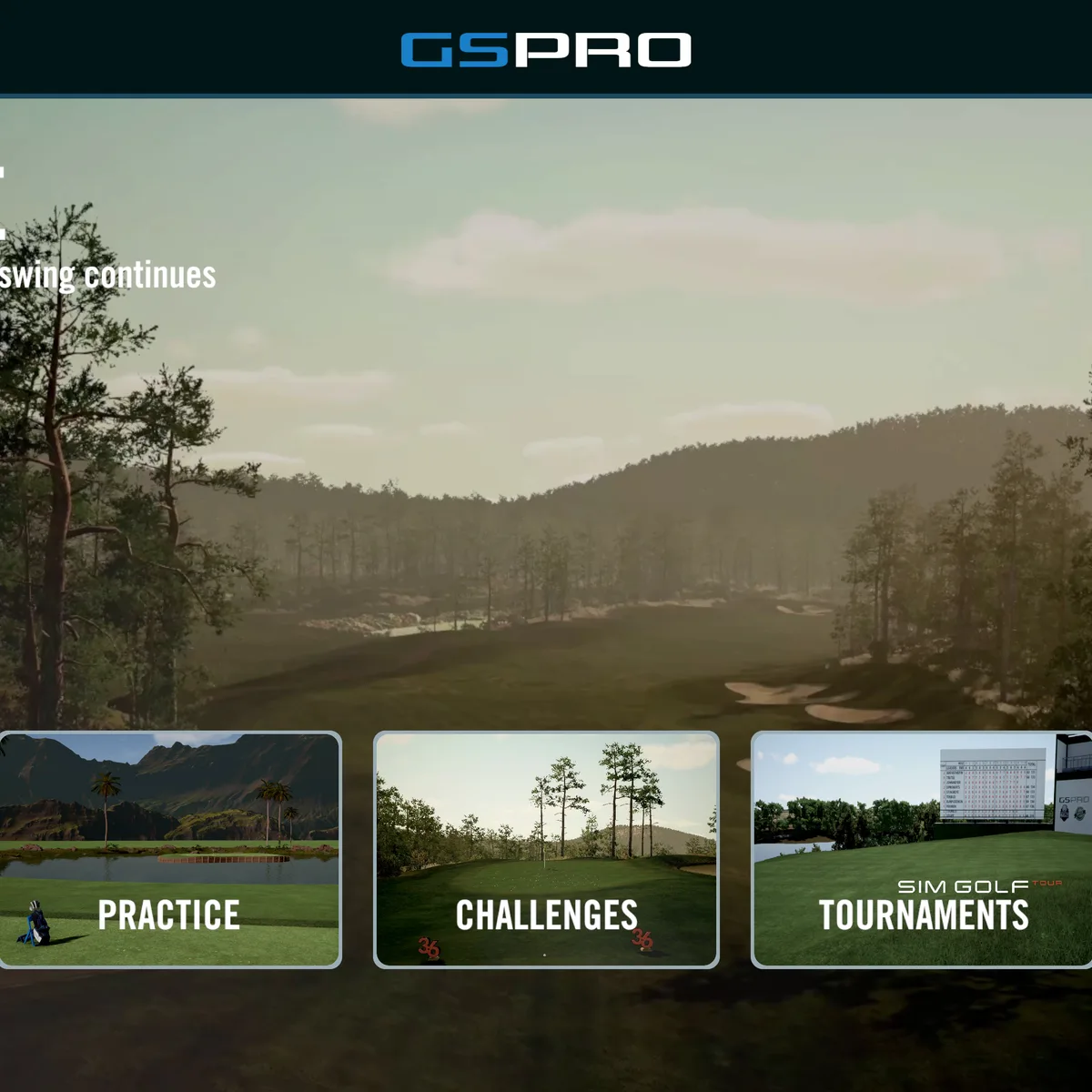
The GSPro
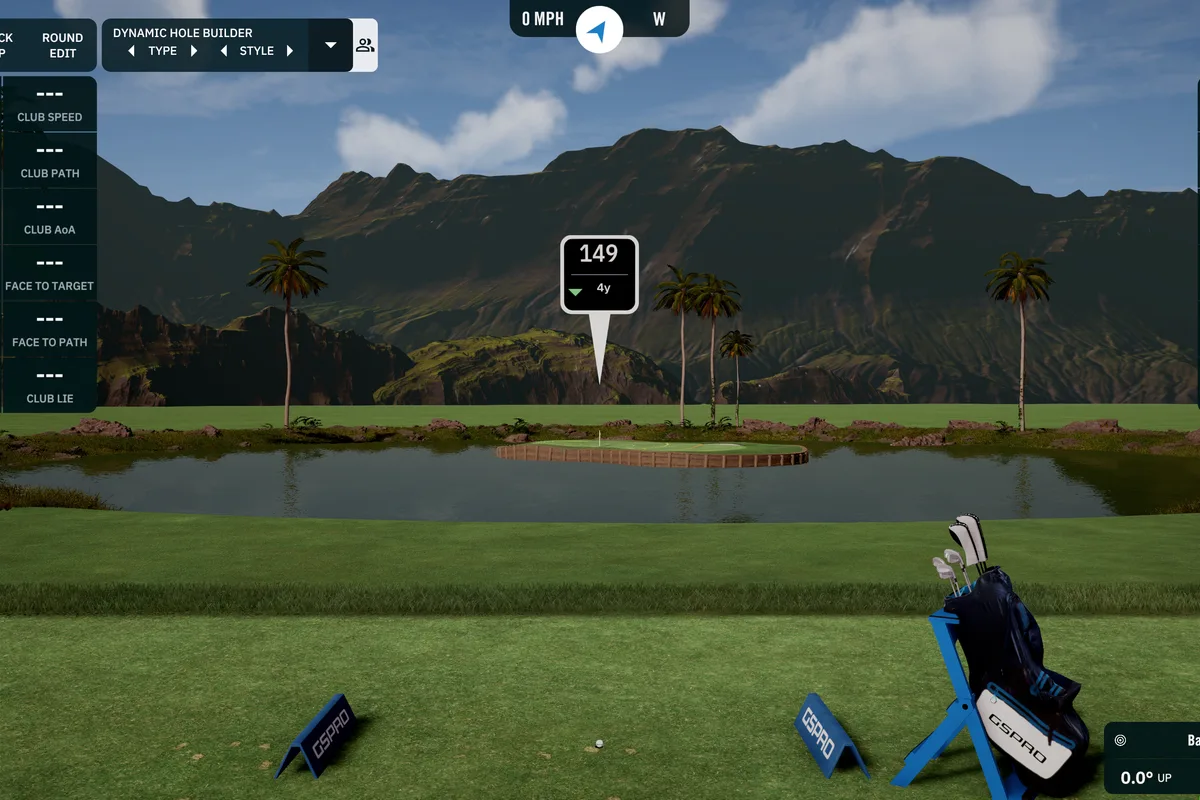
In the wild
The scorecard
Ratings as tested, out of 10.
| Spec | As tested | Caddie's note |
|---|---|---|
| Overall | 8.5 | |
| Accuracy | 9.0 | |
| Value | 10.0 | |
| Ease of use | 6.0 | |
| Software | 8.0 | |
| Price | $250 | |
| Brand | GSPro |
what it does well —
- 4,000+ courses including Augusta, Pebble Beach, St Andrews — all free
- $250/year flat — no tiers, no upsells, everything included
- Active development with monthly updates — Unity 6 migration live in public beta
- Best community in sim golf — Discord, course designers, mods
- Physics engine is community-tuned and excellent
what to know going in —
- Requires Windows PC — no Mac, no iPad, no mobile ([see our PC guide](/guides/best-golf-simulator-pc-2026/) for specs at every budget)
- Setup can be technical — some launch monitors need bridge apps ([compatibility guide](/guides/what-launch-monitors-work-with-gspro/))
- Graphics good but not E6-level polish
- Online play works but isn't seamless matchmaking
What is GSPro? GSPro is the best value in golf simulator software at $250/year with 4,000+ community-designed courses (Augusta, Pebble Beach, St Andrews), excellent physics tuned by 50,000+ users, and monthly development updates. It requires a Windows PC (no Mac/iPad) and a slightly technical setup, but includes everything — no tiers, no premium upsells, no course lockouts. It scores 8.5/10 in our review.
$250 a year.
That’s what you’d spend on two rounds at a decent muni. Two rounds. Maybe a new driver if you buy it used. One dinner at the kind of steakhouse where they bring the raw meat to your table on a cart.
Or — it’s every golf course on earth, rendered in 3D, in your garage, for an entire year.
That’s not hype. That’s the actual math. 4,000 courses. $250. Zero upsells. No premium tier. No “unlock this course” screen after you’ve already paid.
GSPro is the best value in golf simulator software, and I don’t know how you’d argue otherwise.
What GSPro Actually Is
GSPro is what happens when sim golf enthusiasts get tired of waiting for somebody to build the thing they actually want, so they build it themselves.
It started as a community project. It still operates like one — in the best possible way. The architecture is open. Anyone can build courses for it. The developers ship updates monthly and actually read the feedback. The Discord is a living organism of 50,000+ people sharing course builds, troubleshooting launch monitor connections, and arguing about whether the physics engine handles heavy rough correctly.
It’s not a corporate product that went through twelve design meetings before shipping a feature. It’s a product built by people who use it every single day, for people who do the same.
That shows in ways that a bullet point list can’t fully capture.
The Course Library: 4,000+ and Growing
E6 Connect has about 100 courses. They’re licensed, they’re polished, they’re consistent. That costs you $300 to $600 a year.
GSPro has 4,000+ courses.
Not 400. Four thousand.
Augusta National. Pebble Beach. St Andrews. Sawgrass. Bethpage Black. Cypress Point. The Old Course at St Andrews. Your local muni. The course you played on that bachelor party in Myrtle Beach. The course your dad took you to as a kid.
If it’s a golf course that exists in the real world, there’s a 95% chance someone has built it for GSPro.
Quality varies, sure. Some community courses look like they were built in someone’s basement on a Tuesday night. Some look indistinguishable from professionally licensed content. The popular courses — Augusta, Pebble Beach, St Andrews — have been rebuilt and refined so many times they look incredible. You’ll forget you’re looking at a screen.
And the thing is: new courses drop every week. The community is still building. By the time you finish reading this review, five more courses will be in the pipeline. I’m not exaggerating. Go check the Discord.
This is the killer feature. The course library is so deep that “what do I want to play today” is never a question with a bad answer. You can play a different famous course every day for a decade and not repeat. See our curated list of the best GSPro courses →
Graphics & Visual Quality
The graphics are good. Not great. Good. Improving fast.
GSPro looks like a well-made indie game running on a solid engine. The lighting is respectable. The textures hold up on a projector. The water reflections, tree models, and bunker textures are all better today than they were six months ago. The nightly builds ship visual improvements constantly.
E6 Connect looks like a AAA title. The lighting is richer. The atmospheric effects — fog, rain, dusk — actually look real. The grass textures have a depth that GSPro hasn’t quite matched.
I’m not going to tell you the gap is small. It’s visible. Put them side by side on a 4K projector and E6 is the prettier experience.
Does the visual gap actually matter?
You’re hitting golf balls into a screen. Not watching a cinematic. If the trees are 15% more realistic on E6, does that make practice more effective? Does that make your Sunday morning round with a buddy more fun?
For some people, yes. I get it. You spent $3,000 on a projector and you want it to look amazing. That’s fair.
For most people? The GSPro visuals are more than enough. And the gap closes with every update. By the end of this year, I’m not sure it exists anymore.
Physics & Accuracy
This is where GSPro punches way above its weight.
The physics engine is community-tuned. That sounds like a wonk detail. It’s actually the most important thing about GSPro.
What it means: thousands of real golfers with real launch monitors hit thousands of real shots, then compared the sim results to the real ball flight. They reported discrepancies. The dev team adjusted the physics model. Repeat. Thousands of times. Over years.
The result is a ball flight engine that handles almost everything realistically. Full swings. Punches. High fades. Low draws. Heavy rough. Fluffy lies. The ball reacts the way you expect it to — and when it doesn’t, the community is already talking about why.
I’ve played GSPro back to back with E6. I’ve played it with a SkyTrak+, a Mevo+, and a GC3. Same launch monitor, same swing, same conditions. The differences in ball flight are within the margin of error of the launch monitor itself.
You will not notice a difference. If you think you do, it’s placebo.
The putting model took longer to get right — early GSPro greens were fast and punishing in a way that felt wrong. The 2025 and 2026 updates fixed that. Putting now feels like putting. Three-footers don’t auto-miss. Thirty-footers break like they should.
If you’re building a home sim and worried the software won’t accurately translate your swing, stop worrying. GSPro’s physics are excellent.
Pricing: The Meat of the Argument
$250 per year.
That’s the whole pricing page. There’s nothing else. No “Pro” tier. No “Premium” tier. No “Gold” tier. No “unlock additional courses for $100 more.” No “get 20% off if you pay annually” (it’s already annual).
Two hundred fifty dollars. Everything included. All 4,000+ courses. All features. All updates. For a year.
Compare that to E6 Connect, which is $300/year for the base tier and $600/year if you want the expanded course library that actually makes it competitive with GSPro.
So the real comparison is $250 vs $600. GSPro costs less than half of what you’d pay to get the E6 experience that actually competes.
Let’s look at the five-year cost.
| Software | 1 Year | 5 Years |
|---|---|---|
| GSPro | $250 | $1,250 |
| E6 Connect (Premium) | $600 | $3,000 |
| Awesome Golf | $199 | $995 |
| TGC 2019 | $149* | $149* |
*TGC 2019 is a one-time purchase, not a subscription. $149 once, forever. The catch is development stopped years ago, the graphics are dated, and the servers could go dark anytime. Full TGC 2019 vs GSPro comparison →
You could buy a new launch monitor with the difference. Or a better projector. Or a hitting mat that doesn’t destroy your elbows. Or 15 years of GSPro.
The pricing is stupidly good. It’s the single biggest reason GSPro has the market share it has, and it’s the single hardest thing for competitors to match. For a deeper look at how GSPro stacks up across all three alternatives, see our GSPro vs E6 vs Awesome Golf breakdown →
Setup & Compatibility
Okay. The bad part.
GSPro is a Windows-only application. No Mac. No iPad. No mobile. No console. If you don’t own a Windows PC, you need to buy one or build one. That’s an additional cost of roughly $500-$1,500 depending on whether you want to run it on a cheap laptop or a dedicated sim PC with a good GPU.
The good news: GSPro doesn’t need a monster machine. A mid-range gaming PC with an RTX 3060 or better runs it beautifully. You don’t need a $3,000 build. You need a $700 Facebook Marketplace special and you’re fine.
The bad news: some launch monitors are harder to connect than others.
Direct native support: Uneekor, Foresight GC3/BLP, Protee. Connect via USB or network. Easy.
Needs a bridge app: SkyTrak, SkyTrak+, Garmin R10. These need a third-party app like GSPConnect or OpenAPI to translate the data. It works. It’s reliable. But it’s an extra step, and the first time you do it, you’ll spend 20 minutes reading a forum post wondering why your R10 isn’t showing up.
Not supported: Rapsodo MLM2Pro, Voice Caddie SC4, and a few others. Check the compatibility list before you buy anything. We built a full GSPro compatibility guide covering 27 launch monitors across native, community connector, and not-supported tiers — the only up-to-date compatibility resource on the web.
If you’re comfortable with tech — can install a program, configure a firewall, troubleshoot a USB connection — the setup takes an hour, maybe two. If you’re not comfortable with tech, you’ll need the Discord community or a technically inclined friend.
That’s the trade-off for the value. E6 Connect is more plug-and-play. GSPro asks you to do a little work. The work is worth it. But it’s real.
Online Play
GSPro’s online play exists. It works. It’s getting better every update. For a full walkthrough of how online sim golf works across all platforms, see Can You Play Online Multiplayer Golf?
It is not a polished matchmaking experience.
You won’t open GSPro and find a “Quick Play” button that instantly matches you with a random opponent. You’ll join the Discord, find someone who wants to play, coordinate a time, and connect manually. It’s more like setting up a game of pick-up basketball than joining a ranked queue in Call of Duty.
The game itself works well once you’re connected. Low latency, good synchronization, and you can watch each other’s shots in real time. It’s fun.
But if online tournaments and matchmaking are your primary reason for buying sim software, E6 Connect is the better choice. They have the infrastructure. They have the player base. They have the leaderboards.
GSPro is closing the gap. It’s not there yet.
Who Is GSPro For?
This is for you if:
- You have a Windows PC (or you’re willing to buy/build one for $700)
- You want access to every famous course in the world
- You value $250/year over $600/year
- You’re fine with a slightly technical setup that requires an hour of reading
- You like being part of a community that actually shapes the product
- You want to play Augusta in your garage (let’s be honest, that’s all of us)
This is NOT for you if:
- You need iPad or Mac compatibility
- You want a fully plug-and-play experience with official phone support
- Online matchmaking is your #1 priority
- You’re comfortable spending $600/year for slightly better graphics and official licensing
The Verdict
GSPro isn’t perfect. It’s Windows-only. Setup takes some tinkering. The graphics trail E6. Online play is community-driven, not seamless.
But here’s what it gives you: 4,000 courses. Excellent physics. Active development. A passionate community. And a price that makes every competitor look like they’re pricing for a different market.
$250 a year. Everything included. No upsells. No tiers. No feeling like you’re getting half a product because you didn’t pay for the premium version.
Curious what’s coming next? We tracked every detail of the GSPro 3.5 preview — rebuilt course engine, multi-pipeline rendering — and the Unity 6 migration already live in public beta. GSPro ships monthly updates. The changelog is worth reading.
Worth watching (two things): GOLF+ Sim — the VR golf game with 2 million players — is launching as standalone sim software in late 2026. It’s the only platform that gives you mixed reality putting with actual depth perception through a Meta Quest headset. Not a GSPro replacement (GSPro has 4,000+ courses, GOLF+ has 40+), but it solves the putting problem that GSPro and everyone else hasn’t cracked. If you want a second software for short game practice, it’ll be worth the $499 Quest headset alone.
Also keep an eye on Infinite Tees — a new Unreal Engine 5 sim platform at $19.99/month with a LiDAR course builder. It’s early access and only supports the Nova LM officially, but the value proposition could be a serious GSPro competitor once LM support expands.
Ready for reactive lighting? SimLight Golf connects to GSPro’s OpenAPI and makes your room react to every shot — green for pure, red for shank, rainbow for personal best. $149 software, ~$150 in LED hardware, no subscription. Best $300 you can spend on the experience side.
If you’re building a home simulator right now, GSPro is the obvious software choice. I wrote the full comparison between GSPro and E6 Connect if you want to see every detail side by side — but the short version is what I told you above.
GSPro wins on value. Wins on courses. Wins on community. And it’s getting better every month.
You’ve got the garage. You’ve got the launch monitor. You’ve got the net. Now get the software that makes it all worth it.
Go play Augusta at 10 PM on a Tuesday. Or Pebble Beach. Or St Andrews. That’s what this is for.
Read the full GSPro vs E6 Connect comparison → Join the GSPro Discord → Build your sim setup → |See how GSPro stacks up against all 8 platforms →
GSPro Brand Hub: All GSPro news, press releases, and updates →
GSPro costs $250/year. All prices mentioned are approximate and may change. We may earn a commission if you purchase through links on this page — but this review is independent and based on actual testing of GSPro v3.1 and v3.2. See the full lineup at our Software Hub. Want every platform compared head-to-head? Read The Complete Guide to Golf Simulator Software — Ace’s definitive 2026 tier list.
Frequently Asked Questions
Quick answers to common questions about the GSPro.
What is GSPro?
GSPro is the best value in golf simulator software at $250/year with 4,000+ community-designed courses including Augusta, Pebble Beach, and St Andrews. It features excellent physics tuned by 50,000+ users and monthly development updates. It requires a Windows PC and a slightly technical setup but includes everything — no tiers, no premium upsells, no course lockouts.
How much does GSPro cost?
GSPro costs $250 per year with no tiers, no upsells, and no premium subscriptions. Everything is included — all 4,000+ courses, all features, and all updates. A one-time purchase alternative is TGC 2019 at $149, but development stopped years ago.
What launch monitors are compatible with GSPro?
GSPro has direct native support for Uneekor, Foresight GC3/BLP, and Protee via USB or network. SkyTrak, SkyTrak+, and Garmin R10 need a bridge app like GSPConnect or OpenAPI. Rapsodo MLM2Pro and Voice Caddie SC4 are not supported. See our full GSPro compatibility guide covering 27 launch monitors for details.
Does GSPro work on Mac or iPad?
No. GSPro is Windows-only. It does not support Mac, iPad, or mobile. You need a Windows PC with at least an RTX 3060 GPU, which costs roughly $500-$1,500 depending on whether you build or buy.
Does GSPro have good graphics?
GSPro graphics are good but not E6-level. The lighting, textures, and water reflections are improving fast with monthly updates. The physics engine is excellent — community-tuned by thousands of real golfers with real launch monitors. Most users find the visuals more than adequate for practice and play.
Head-to-Head Comparisons
See how the GSPro stacks up against the competition.
Your Next Move.
Where you go from here depends on who you are.